

LightOne Firmware Update
Update LightOne's firmware from your browser at update.raidendigit.com.
What's new
- Adjustable fan: tune the cooling fan for your environment
- General performance and stability improvements
Before you start
You need:
- A Windows, macOS or Linux computer. Use a desktop or laptop, not a phone or tablet.
- Google Chrome or Microsoft Edge
- A USB-C cable that supports data (charge-only cables won't work)
- macOS only: the serial driver, installed first
See Using the Firmware Updater for full browser and OS requirements.
Connect LightOne
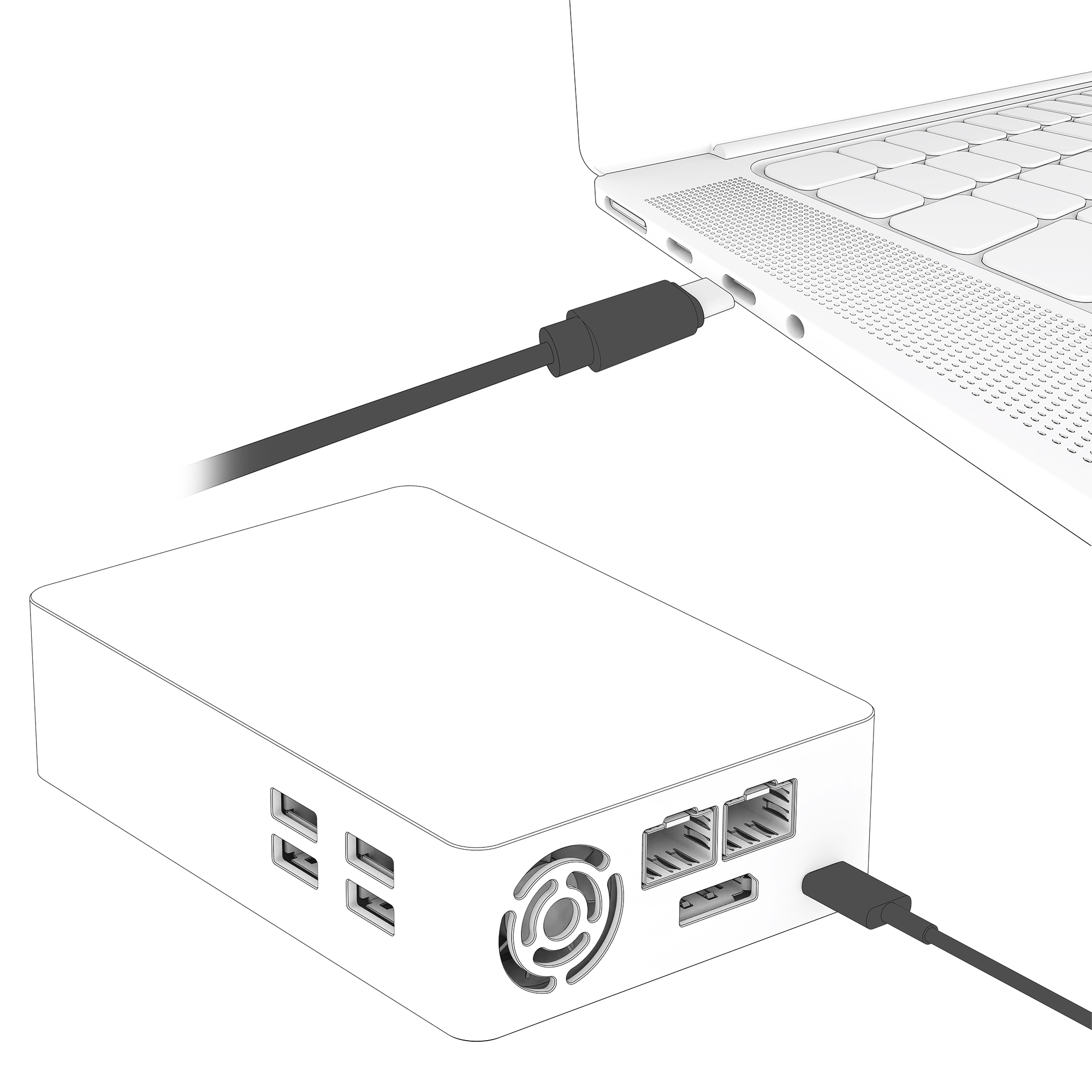
Connect LightOne's power port directly to your computer with the USB-C cable. You don't need the external power supply.
Update
- Open update.raidendigit.com in Chrome or Edge.
- When the browser asks to connect to a serial port, select the device and click Connect.
- Follow the on-screen instructions to start the update.
- Wait until the updater says the update is complete, then disconnect the cable.
Don't disconnect during the update
Unplugging the cable or interrupting the connection mid-update can cause the update to fail.
If something goes wrong
If the updater doesn't find LightOne or the update stops, see Troubleshooting.